Introduction to Retrieval Augmented Generation (RAG) with LangChain and Ollama
1. Why are we talking about Retrieval Augmented Generation (RAG) today?
Generative AI models (like GPT, Claude, or LLaMA) are capable of producing fluent and relevant text. But they have a major limitation: they can only answer based on what they learned during training. Therefore, they can:
- Provide outdated information.
- Invent nonexistent facts (hallucinations).
- Ignore data specific to a company or domain.
This is where RAG (Retrieval Augmented Generation) comes in: it combines the power of generative models with an external knowledge base (documents, databases, internal files, etc.).
In short: before generating an answer, the model retrieves the relevant information from your data, then uses it to provide an accurate response.
Note: some tools like ChatGPT with web browsing or Perplexity give the impression that the model knows the Internet in real time. In reality, they combine a generative model with an external online search mechanism. This approach is already a form of RAG, but applied to the public web. The value of custom RAGs is that you can apply the same principle… to your own private data (internal documents, client databases, reports, etc.).
2. The principle of Retrieval Augmented Generation
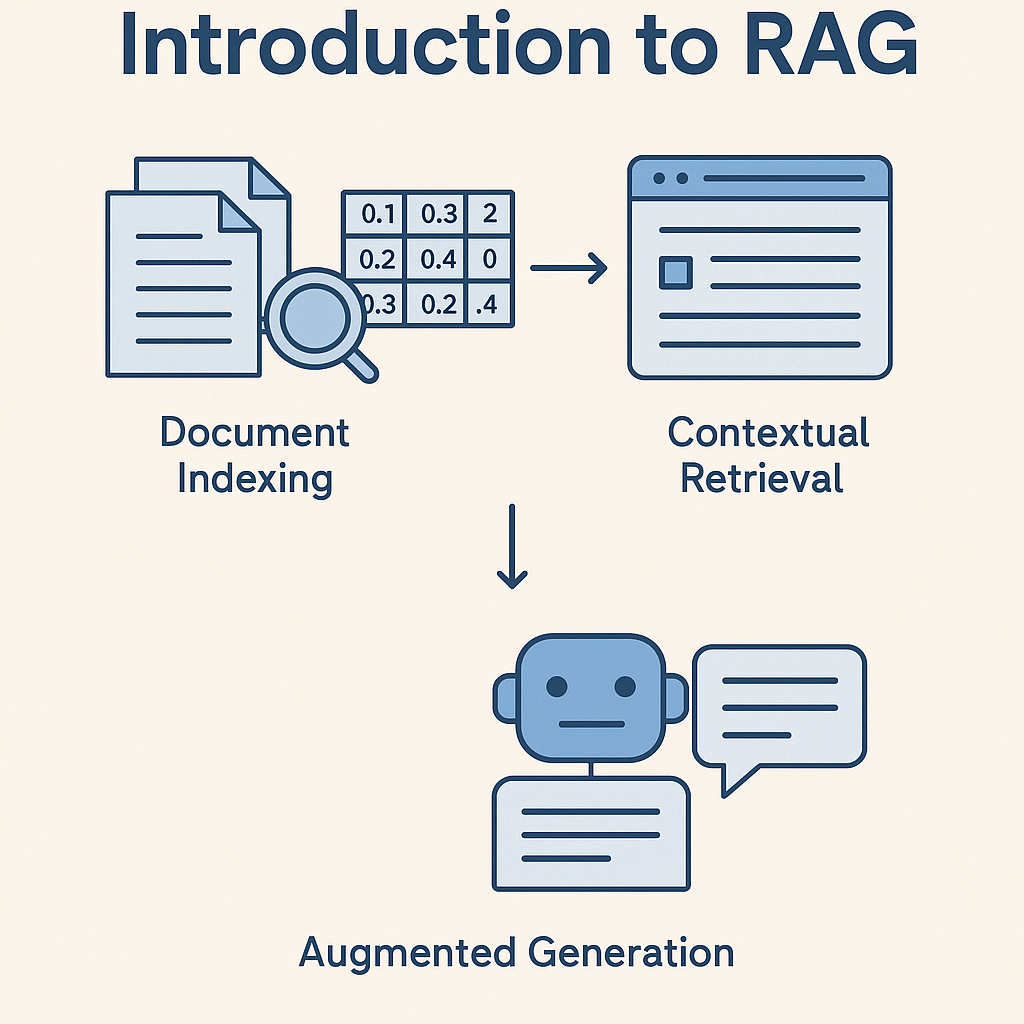
A Retrieval Augmented Generation pipeline works in three steps:
- Document indexing
Text is split into small pieces (chunks), then transformed into numerical vectors (embeddings) so they can be efficiently searched. - Contextual search
When a question is asked, the system searches your documents for the most relevant passages using a vector database. - Augmented generation
The language model takes these passages as context and generates a more reliable response, possibly including the sources used.
3. The tools we will use
For our example, we will build a small RAG with:
- LangChain: a Python framework that makes it easier to build AI chains (LLM + retrieval + memory…).
- Ollama: a tool that allows you to easily download and run language models locally (for example LLaMA, Mistral, Gemma). In our code, we use a small local model
gemma3:1b. - FAISS: a library from Meta for managing vector searches.
- HuggingFace Embeddings: to transform our texts into numerical vectors.
ℹ️ It is not mandatory to use Ollama or open models, you can choose any model you like: open source (LLaMA, Mistral, Gemma…) or closed (GPT, Claude, etc.).
4. Step-by-step implementation
We will start from a file doc.txt (our knowledge base). Here is the file we use for this example:
a) Load the document
Here, we read our text file and convert it into a Document object usable by LangChain.
b) Split the text into chunks
We segment the document into small pieces of 150 characters, with an overlap of 40 characters to avoid cutting an idea in half.
c) Create the vector database
Each chunk is transformed into a numerical vector using a HuggingFace model, then stored in a FAISS vector database.
d) Build the RAG chain
Here, we put everything together:
- The LLM (
gemma3:1bvia Ollama). - The vector search engine.
- A chain that sends the retrieved passages to the model.
e) Ask a question
When we ask the question “What languages does Clara speak?”, the system will search in our doc.txt and give the answer:
5. Complete code
Here is the full Python module you can run directly:
6. Conclusion
Retrieval Augmented Generation (RAG) makes it possible to transform a generic language model into a specialized assistant, capable of relying on your own data.
- Applications are numerous: enterprise chatbots, research assistants, educational tools…
- Thanks to frameworks like LangChain and tools like Ollama, it becomes easy to build a working prototype.
And most importantly, you stay in control: you can choose your own data and your own models (open source or closed).
To go further, check out our article on automation and agentic AI.
Useful resources: