

Introducing COPILOT(): Excel’s useful AI-powered function !
What if writing complex formulas in Excel became as simple as writing a sentence? Introduced in August 2025, the new COPILOT() function transforms the traditional use of spreadsheets by directly integrating AI — and without scripts.
1. What is the COPILOT() function?
It is a native Excel formula — just like SUM or IF — but this time powered by artificial intelligence. In practice, you enter a natural language prompt, optionally adding cell references, and Excel generates an intelligent and appropriate response.
The COPILOT() function is integrated into the calculation engine: results update automatically when data changes.
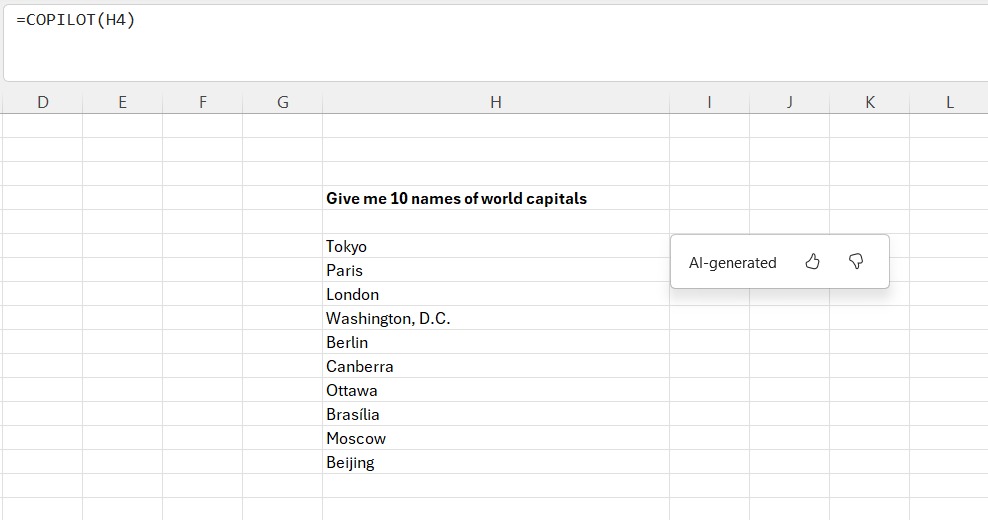
2. What is it for? Some practical use cases
Brainstorming:
The function can be used to support brainstorming directly within an Excel sheet. It generates ideas for marketing campaigns, new product features, or SEO keywords from a simple description. It can also rephrase a message to make it clearer or adapt its tone as needed.
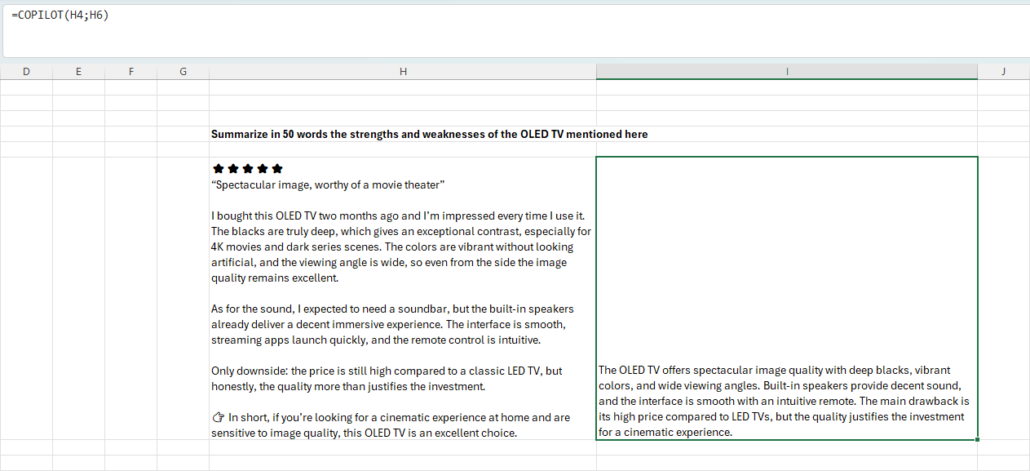
Summary generation:
COPILOT() condenses large datasets or long texts into clear and concise summaries. It highlights trends, simplifies complex calculations, or produces understandable explanations, ideal for preparing reports or presentations.
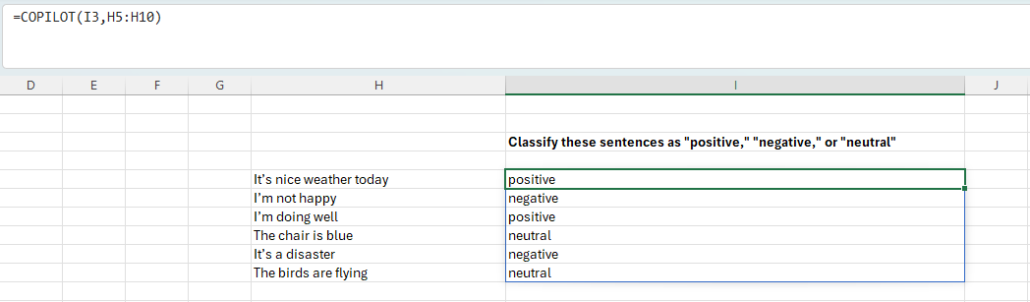
Data classification:
No more exports to other tools: the function directly classifies customer feedback, support tickets, or survey responses within Excel. It can perform tagging or sentiment analysis to better organize and exploit the information.
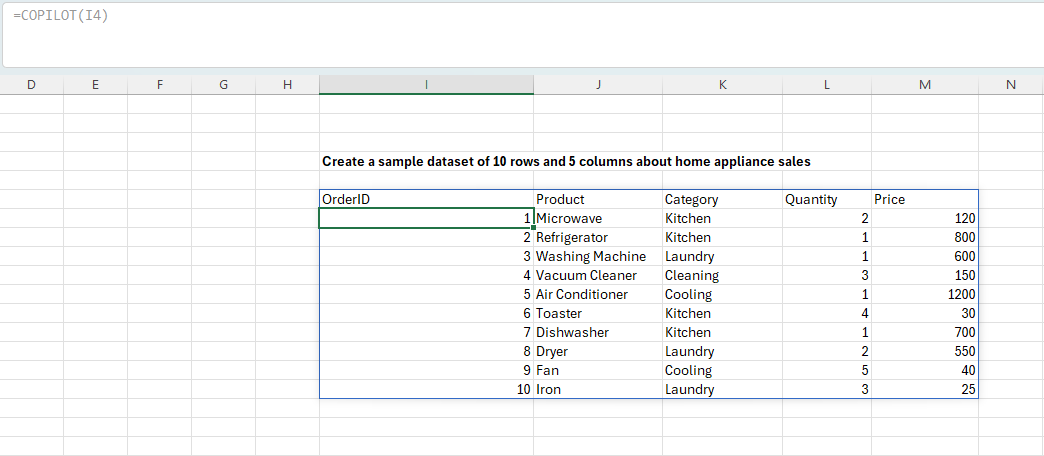
List or table creation:
The function automatically generates lists and tables tailored to your model. This can be useful to quickly build a test dataset, list industry examples, or sketch out a project plan. The results spill into the Excel grid, in ready-to-use columns and rows.
COPILOT() can be nested within other Excel functions such as IF, SWITCH, LAMBDA, WRAPROWS… to automate more advanced dynamic processing.
3. Availability and access
The COPILOT() function is currently available to Microsoft 365 Copilot subscribers, in the Beta channel versions:
- Windows (from build 19212.20000 / v. 2509+)
- Mac (build 25081334 / v. 16.101+)
A Web version is planned through Excel for Web’s “Frontier” program (learn more).
4. Limitations and recommendations
Microsoft specifies that the COPILOT() function relies on AI and may provide incorrect answers. To ensure reliability and responsible use, it is recommended to avoid using it in the following cases:
- Numerical calculations: instead, use Excel’s native formulas (SUM, AVERAGE, IF…)
- Answers requiring external context: the function only has access to the prompt and referenced cell ranges
- Data lookups: prefer XLOOKUP for reliable searches.
- High-stakes scenarios: financial reports, legal or regulatory documents.
- Recent or real-time data: the function is non-deterministic and may return different results upon recalculation. Moreover, the model is limited to knowledge prior to June 2024.
The COPILOT() function marks a new step in spreadsheet efficiency and simplicity. It does not replace Excel’s classic formulas, but complements them by opening new possibilities through natural language. Its main value lies in idea generation, data summarization, or text content classification — tasks often tedious to perform manually. Like any AI-based technology, it has limitations and requires thoughtful use, particularly for accuracy or sensitive context. But when wisely integrated into workflows, it can make Excel more accessible, more creative, and above all more productive on a daily basis.
For more information about Copilot & Excel, see this article.
For more general information about integrating AI into your company, see this article.