

The “Analyst” agent: where Excel meets avanced data analysis
1. What is the “Analyst” agent?
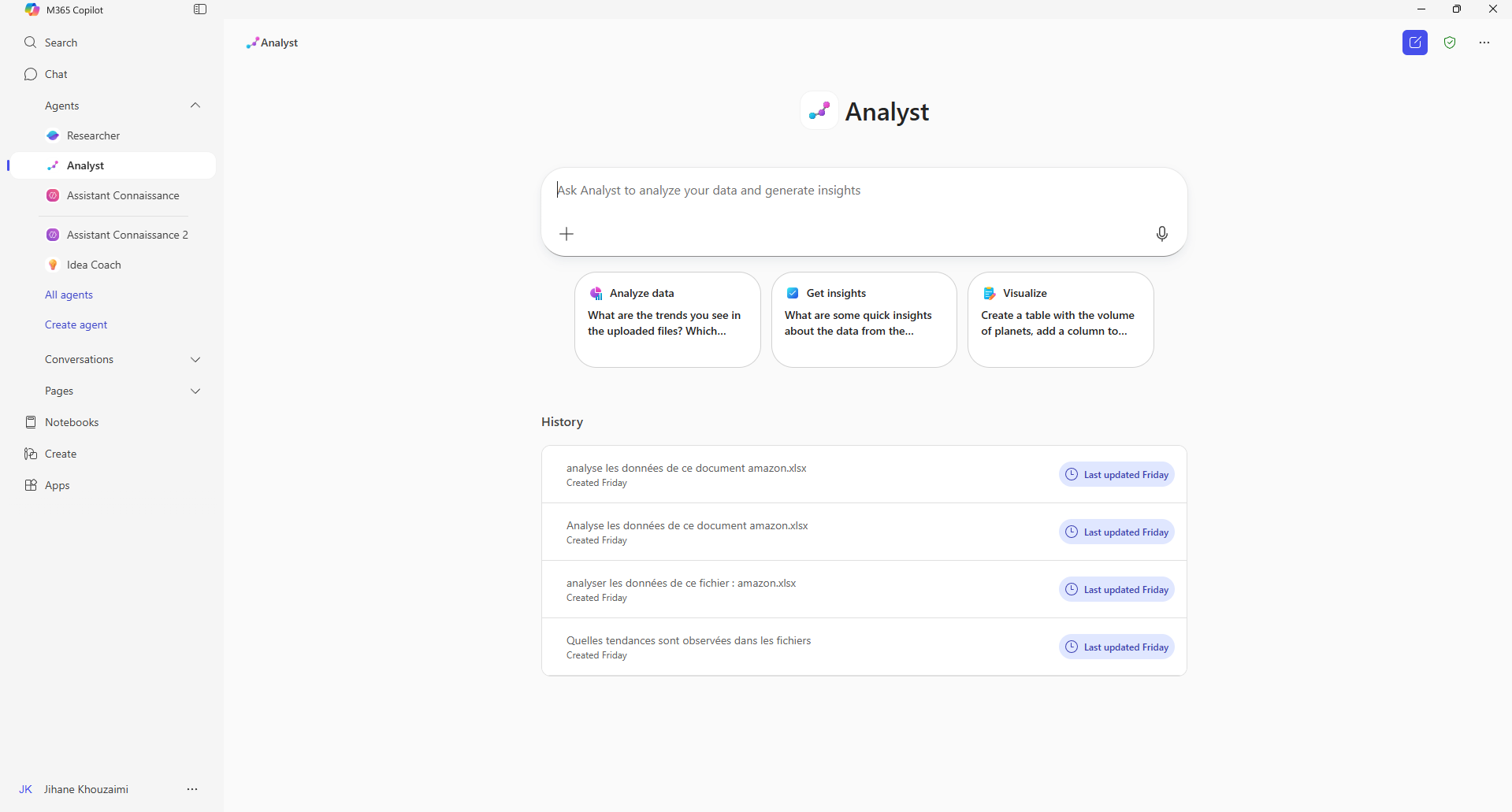
Analyst is an intelligent conversational agent integrated into Microsoft 365 Copilot, designed to assist you in data analysis without requiring complex technical skills. It acts like a “qualified data analyst” at your fingertips, capable of processing and synthesizing your information seamlessly.
Built on an advanced reasoning model, post-trained on GPT o3-mini, this agent simulates human reasoning strategically: it formulates hypotheses, tests, refines its results, and corrects its errors, much like a real-time data scientist.
2. What is the purpose of the “Analyst” agent?
The Analyst agent was designed to simplify and accelerate analysis tasks, reducing the technical barrier often associated with data manipulation. Where previously one had to juggle complex formulas, macros, or even scripts, the agent now enables results in natural language, with a much more intuitive approach.
Here are some of its main uses:
-
Consolidate and analyze scattered data
It can instantly aggregate information from multiple Excel files, databases, or CSVs. It then becomes a central hub for a unified view, without tedious manipulations or multiple exports. -
Transform raw data into readable reports
Whether it’s thousands of rows of sales or customer feedback, it can turn them into trends, key indicators, or understandable visualizations. It doesn’t stop at numbers: it can also generate narrative summaries to accompany charts and contextualize results. -
Produce scenarios and simulations
It can create projections, such as estimating revenue growth or anticipating product demand. Thanks to its reasoning logic, it not only provides a raw number but also explains the assumptions made, helping to assess the relevance of the result. -
A few concrete use cases
-
For marketing: analyze customer feedback, identify market segments, or detect emerging trends.
-
For finance: create simplified dashboards, calculate performance indicators, or simulate the impact of different budget strategies.
-
For operations: optimize inventory management, anticipate demand peaks, or track logistics KPIs.
-
In short, Analyst acts as an integrated data analyst assistant within Microsoft 365: it reduces the time spent preparing and cleaning data, and increases the time devoted to interpretation and decision-making.
Example:
3. Availability and integration in Microsoft 365 Copilot
Analyst is part of the reasoning agents — alongside the “Researcher” agent — launched for the first time under the Frontier program, in early access starting April 2025 (learn more).
They are now generally available to all Microsoft 365 Copilot subscribers. You will find it directly in Copilot Chat, ready to use across all supported platforms (web, desktop, mobile).
It is part of a broader trend: the arrival of AI agents specialized in automating complex tasks in Microsoft 365 (learn more).
4. Why is this important?
- Increased productivity: Analyst transforms hours of manual data manipulation into minutes of automated analysis, even for advanced needs.
- Enhanced accessibility: no need to be a data scientist or Excel expert to get powerful insights. The agent makes data analysis more fluid, intuitive, and collaborative.
- Security and consistency: connected to Microsoft Graph, it operates using your work data — emails, files, chats… — while complying with internal security and privacy standards.
5. A word on advanced reasoning
The major strength of Analyst lies in its step-by-step reasoning approach (chain-of-thought). Unlike a classic assistant that merely generates an immediate answer to a question, this agent adopts an approach closer to that of a real data analyst.
Concretely, it:
- breaks down the problem into sub-questions,
- formulates hypotheses,
- tests different scenarios on the data,
- adjusts its calculations based on results,
- and explains its reasoning transparently.
This method makes it particularly suitable for contexts where data is complex, incomplete, or scattered.
Conclusion
Analyst marks an important step in the evolution of productivity tools. Where Excel, Power BI, or other solutions previously required solid technical expertise, the agent now provides access to powerful analysis in natural language. Its strength lies in its ability to reason, handle heterogeneous data, and deliver actionable insights as trends, visualizations, or synthetic reports.
It is not about replacing human analysts or Excel’s advanced features, but rather making data exploration and interpretation more accessible to a wider audience. As a complement to experts, Analyst can speed up the preparation of analyses, highlight interpretation paths, and free up time for higher-value tasks.
For more information on Copilot & Excel, see this article.
For more general information on AI integration in your company, see this article.